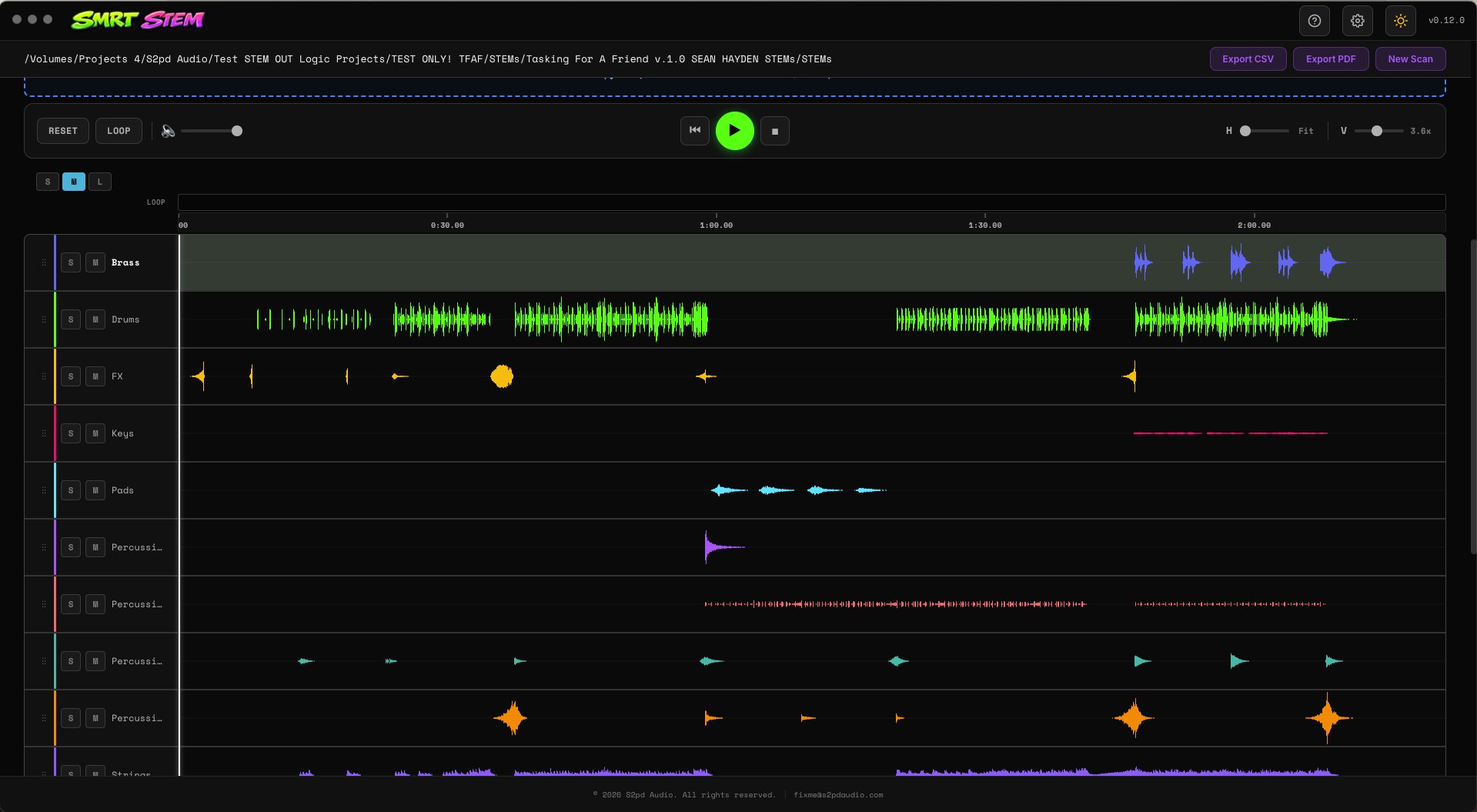
Desktop App for macOS
Your pre-flight check for stem deliveries. Drag in a folder, get a clear verdict, move on with your life.
Full app, 14 days, no credit card.
Sample rate, bit depth, channel count, duration, file format. Every stem, one scan, every problem surfaced.
Spots silence, clipping, glitches, clicks, and pops. The stuff your ears miss at 2am when you just want to hit send.
Audition all your stems with solo, mute, and volume control. No need to open a DAW just to double-check a delivery.
Flip between your stems and a reference mix. Confirm that what you're sending actually matches what you approved.
A clear verdict for every scan. Green means ship it, yellow means take a look, red means stop and fix.
No internet required after activation. No tracking. No cloud. Your audio never leaves your computer.
We'd rather you know this before you buy than find out after. Smrt Stem is great at what it does, and honest about what it doesn't.
Smrt Stem does not handle surround or Dolby Atmos stems. It's built for standard stereo and mono deliveries. If your workflow is surround-heavy, this isn't the tool for that (yet).
The click and glitch detection catches the vast majority of issues, but it can occasionally miss something subtle or flag a false positive on complex transient material. It's a safety net, not a replacement for your ears on a final listen.
You can scan a full mix through it, and it will catch clipping, silence, and format issues just fine. But the detection algorithms are tuned for individual stems. Dense full mixes can produce noisier results.
Windows is on the roadmap, but it's not here yet. If you're on a PC, hang tight or drop us a line so we know there's demand.
Smrt Stem scans one folder of stems per session. There's no batch queue for processing multiple projects back-to-back automatically. Drag, scan, review, repeat.
Point Smrt Stem at a folder of audio files. It reads WAV, AIFF, FLAC, and MP3.
Smrt Stem analyzes every file for format issues, audio problems, and consistency across stems.
Pass, warn, or fail. If something's wrong, you'll know exactly what and where.
Fix what needs fixing, confirm with the playback engine, and send your stems with confidence.
Yes. 14 days, fully functional, nothing held back. If it earns a spot in your workflow, buy it. If not, it quietly expires.
A license key that works on up to 2 machines. One purchase, yours forever. No subscriptions, no annual renewals, no upgrade fees.
Absolutely. Email me, tell me what went wrong, and I'll send your money back. Simple as that.
Not yet. macOS only for now. Windows is on the list.
Need more than 2 machines? Email hello@s2pdaudio.com and I'll sort out an extra license for you.
Once, when you activate your license key. After that, fully offline. Zero telemetry, zero analytics.
A working composer who got tired of sending bad stems at midnight. More about S2pd.
Your stems are either right or they're not. Know before your client does.
Full app, 14 days, no credit card.
New tools, updates, and the occasional behind-the-scenes rant. No spam, just the good stuff.
Unsubscribe anytime. We're not clingy.